Videos
Overview of the NOCO Boost GB70
More Videos
GB70
HOW TO JUMP START.

ATTACH CLAMPS.

POWER ON.

START VEHICLE.

POWER OFF.
Or power off/on to reset.
Boost
FAQ
Choosing Boost
Warranties & Registrations
Features
Care Tips
Accessory Compatibility
Boost models are based on the vehicle engine size. Look up the engine size of the vehicle to find the Boost model that best fits your needs.
| Boost | Gasoline Engine | Diesel Engine | |
|---|---|---|---|
| GB20 | Up to 4.0L | Learn more. | |
| GB40 | Up to 6.0L | Up to 3.0L | Learn more. |
| GB50 | Up to 7.0L | Up to 4.5L | Learn more. |
| GB70 | Up to 8.0L | Up to 6.0L | Learn more. |
| GB150 | Up to 9.0L | Up to 7.0L | Learn more. |
| Boost X | Gasoline Engine | Diesel Engine | |
|---|---|---|---|
| GBX45 | Up to 6.5L | Up to 4.0L | Learn more. |
| GBX55 | Up to 7.5L | Up to 5.0L | Learn more. |
| GBX75 | Up to 8.5L | Up to 6.0L | Learn more. |
| GBX155 | Up to 10.0L | Up to 8.0L | Learn more. |
| Boost Max | Gasoline Engine | Diesel Engine | ||
|---|---|---|---|---|
| GB250 | 12V | Up to 16.0L | Up to 16.0L | Learn more. |
| GB251 | 24V | Up to 32.0L | Up to 32.0L | Learn more. |
| GB500 | 12V & 24V | Up to 45.0L | Up to 45.0L | Learn more. |
| GB20 | For gasoline engines up to 4L. | How to Jump Start using GB20 |
| GB40 | For gasoline engines up to 6L and diesel engines up to 3L. | How to Jump Start using GB40 |
| GB50 | For gasoline engines up to 7L and diesel engines up to 4.5L. | How to Jump Start using GB50 |
| GB70 | For gasoline engines up to 8L and diesel engines up to 6L. | How to Jump Start using GB70 |
| GB150 | For gasoline engines up to 9L and diesel engines up to 7L. | How to Jump Start using GB150 |
2.1A is the standard smart phone charger.
| GB20 | USB charging 3 hours at 2A 6 hours at 1A 12 hours at 0.5A | How to Recharge GB20. |
| GB40 | USB charging 3 hours at 2A 6 hours at 1A 12 hours at 0.5A | How to Recharge GB40. |
| GB50 | USB charging 3 hours at 2A 6 hours at 1A 12 hours at 0.5A | How to Recharge GB50. |
| GB70 | USB charging 4.5 hours at 2A 9 hours at 1A 18 hours at 0.5A 12V Fast Charge (36W) 2-3hrs at 3A | How to Recharge GB70. |
| GB150 | USB charging 11 hours at 2A 22 hours at 1A 45 hours at 0.5A 12V Fast Charge (56W) 2-3hrs at 5A | How to Recharge GB150. |
Starting with a fully charged battery Boost is rated for the following:
| GB20 | Up to 20 jump starts. |
| GB40 | Up to 20 jump starts. |
| GB50 | Up to 30 jump starts. |
| GB70 | Up to 40 jump starts. |
| GB150 | Up to 80 jump starts. |
| GB20 | 24 Watt-Hour Lithium-Ion |
| GB40 | 24 Watt-Hour Lithium-Ion |
| GB50 | 35 Watt-Hour Lithium-Ion |
| GB70 | 56 Watt-Hour Lithium-Ion |
| GB150 | 88 Watt-Hour Lithium-Ion |
Boost Jump Starters can charge a multitude of USB devices, including phones. Locate the USB OUT port at the end of Boost, plug the USB device charging cable into the port, and power on Boost. The USB device will now receive power.
Boost can charge a smartphone:
| GB20 | Approximately 2 times. |
| GB40 | Approximately 2 times. |
| GB50 | Approximately 2-3 times. |
| GB70 | Approximately 3-4 times. |
| GB150 | Approximately 6-7 times. |
Actual usage may vary. Charging before the smart phone's battery is fully depleted typically results in even more top-ups per charge cycle—perfect for life on the go.
Learn more about charging with Boost. Charging USB Devices Using NOCO Boost
Boost models are based on the vehicle engine size. Look up the engine size of the vehicle to find the Boost model that best fits your needs.
| Boost | Gasoline Engine | Diesel Engine | |
|---|---|---|---|
| GB20 | Up to 4.0L | Learn more. | |
| GB40 | Up to 6.0L | Up to 3.0L | Learn more. |
| GB50 | Up to 7.0L | Up to 4.5L | Learn more. |
| GB70 | Up to 8.0L | Up to 6.0L | Learn more. |
| GB150 | Up to 9.0L | Up to 7.0L | Learn more. |
| Boost X | Gasoline Engine | Diesel Engine | |
|---|---|---|---|
| GBX45 | Up to 6.5L | Up to 4.0L | Learn more. |
| GBX55 | Up to 7.5L | Up to 5.0L | Learn more. |
| GBX75 | Up to 8.5L | Up to 6.0L | Learn more. |
| GBX155 | Up to 10.0L | Up to 8.0L | Learn more. |
| Boost Max | Gasoline Engine | Diesel Engine | ||
|---|---|---|---|---|
| GB250 | 12V | Up to 16.0L | Up to 16.0L | Learn more. |
| GB251 | 24V | Up to 32.0L | Up to 32.0L | Learn more. |
| GB500 | 12V & 24V | Up to 45.0L | Up to 45.0L | Learn more. |
| GB20 | For gasoline engines up to 4L. | How to Jump Start using GB20 |
| GB40 | For gasoline engines up to 6L and diesel engines up to 3L. | How to Jump Start using GB40 |
| GB50 | For gasoline engines up to 7L and diesel engines up to 4.5L. | How to Jump Start using GB50 |
| GB70 | For gasoline engines up to 8L and diesel engines up to 6L. | How to Jump Start using GB70 |
| GB150 | For gasoline engines up to 9L and diesel engines up to 7L. | How to Jump Start using GB150 |
2.1A is the standard smart phone charger.
| GB20 | USB charging 3 hours at 2A 6 hours at 1A 12 hours at 0.5A | How to Recharge GB20. |
| GB40 | USB charging 3 hours at 2A 6 hours at 1A 12 hours at 0.5A | How to Recharge GB40. |
| GB50 | USB charging 3 hours at 2A 6 hours at 1A 12 hours at 0.5A | How to Recharge GB50. |
| GB70 | USB charging 4.5 hours at 2A 9 hours at 1A 18 hours at 0.5A 12V Fast Charge (36W) 2-3hrs at 3A | How to Recharge GB70. |
| GB150 | USB charging 11 hours at 2A 22 hours at 1A 45 hours at 0.5A 12V Fast Charge (56W) 2-3hrs at 5A | How to Recharge GB150. |
Starting with a fully charged battery Boost is rated for the following:
| GB20 | Up to 20 jump starts. |
| GB40 | Up to 20 jump starts. |
| GB50 | Up to 30 jump starts. |
| GB70 | Up to 40 jump starts. |
| GB150 | Up to 80 jump starts. |
| GB20 | 24 Watt-Hour Lithium-Ion |
| GB40 | 24 Watt-Hour Lithium-Ion |
| GB50 | 35 Watt-Hour Lithium-Ion |
| GB70 | 56 Watt-Hour Lithium-Ion |
| GB150 | 88 Watt-Hour Lithium-Ion |
Boost Jump Starters can charge a multitude of USB devices, including phones. Locate the USB OUT port at the end of Boost, plug the USB device charging cable into the port, and power on Boost. The USB device will now receive power.
Boost can charge a smartphone:
| GB20 | Approximately 2 times. |
| GB40 | Approximately 2 times. |
| GB50 | Approximately 2-3 times. |
| GB70 | Approximately 3-4 times. |
| GB150 | Approximately 6-7 times. |
Actual usage may vary. Charging before the smart phone's battery is fully depleted typically results in even more top-ups per charge cycle—perfect for life on the go.
Learn more about charging with Boost. Charging USB Devices Using NOCO Boost
| GB20 | User Guide |
| GB40 | User Guide |
| GB50 | User Guide |
| GB70 | User Guide |
| GB150 | User Guide |
NOCO Boost has a one-year limited warranty. Visit our Support Page to learn more about Warranty or find the User Guide to your specific Boost model.
| GB20 | 500 Amps (Peak) |
| GB40 | 1,000 Amps (Peak) |
| GB50 | 1,500 Amps (Peak) |
| GB70 | 2,000 Amps (Peak) |
| GB150 | 3,000 Amps (Peak) |
| GB20 | 100 lumen LED flashlight. |
| GB40 | 100 lumen LED flashlight. |
| GB50 | 200 lumen LED flashlight. |
| GB70 | 400 lumen LED flashlight. |
| GB150 | 500 lumen LED flashlight. |
NOCO Boost models carry a rating of IP65 with the port covers closed, which means they can be exposed to water without any issues, however, they cannot be submerged in water.
| GB20 | 2.45lbs (1.11kg) |
| GB40 | 2.45lbs (1.11kg) |
| GB50 | 2.45lbs (1.11kg) |
| GB70 | 4.18lbs (1.9kg) |
| GB150 | 6.39lbs (2.90kg) |
The provided Micro USB cable is 48" (1 m) in length. Boost charges with a standard Micro USB port, so if a longer or short cable is preferred, then the provided cable can be replaced with any compatible Micro USB cable.
No. While Boost can jump start your car battery it is not a battery charger. If you need to charge your car battery we recommend using NOCO Genius for charging and maintaining 6V or 12V batteries lead acid, AGM or Lithium batteries.
Click here to learn more about NOCO Genius Smart Battery Chargers.
All Boost models can hold 70% of its rated capacity for up to one year. For optimal performance, we recommend charging the device at least every 4-6 months, after initial charge.
NOCO Boost can only jump start 12V lead acid batteries. This includes wet, gel, maintenance free, enhanced flooded battery, and absorbent glass mat batteries.
Check out NOCO Boost Max to learn more about jump starting 24V batteries.
Boost can recharge all generations of smartphones on the market, as well as HD action cameras, tablets, music players, wireless speakers and more. Any devices that uses a Universal Serial Bus (USB), will take a charge from Boost.
Click here to learn more about charging USB devices using NOCO Boost.
Both the USB 'In' and 'Out' ports on Boost are rated at 2.1 Amps.
Yes. Boost can jump start any vehicle with a 12V lead acid battery like a car, boat, motorcycle, ATV, lawn mower, RV, tractor, truck and more.
Boost jump starters are compatible with the starting-battery in hybrid vehicles as long as the starting-battery in question is a 12V Lead-Acid battery. These include Wet-Cell, Gel-Cell, AGM, AGM , Maintenance Free, and EFB batteries. Boost will also work with Calcium-Calcium and Calcium-Lead batteries. As long as the unit is used on a 12V ignition system for a gas or diesel engine and on one of the aforementioned battery types, it will work.
Yes. Boost is USB rechargeable, so it’s not directly tied to the electrical service of your country (i.e. 120V or 220V). Use an AC to USB adapter or 12V to USB adapter to charge your device. A 12V USB Car Charger will work in any country or vehicle with a 12V port. The GB70, GB150, and Boost Max have an XGC input, allowing you to charge the units directly via 12V port for faster charging.
No. The 12V ports in a car are current limited at 8 Amps. Boost delivers a maximum range of 400A to 20000A, depending on your model, which would cause severe damage to the port. However, there is no way to connect this product to the 12V port, so there is no risk of this happening.
No. Boost is only designed for 12V vehicles. Jump starting a 6V battery could become extremely dangerous.
No. Lithium batteries are sensitive to how current is applied to the battery. Jump starting a lithium battery could become extremely dangerous.
Yes, as long as the battery is a 12V Lead Acid battery.
There isn't a direct Boost-to-SAE adapter since the SAE cable isn't rated for the output of the Boost. You can install the GBC007 eyelet cable alongside the SAE cable you have on your battery, then the GB20, GB40, or GB50 directly into the GBC007 when jump-starting. GBC007 has an included X-Connect adapter which can be plugged into the cable and plug a compatible NOCO Genius Battery Charger into the adapter for charging and maintenance.
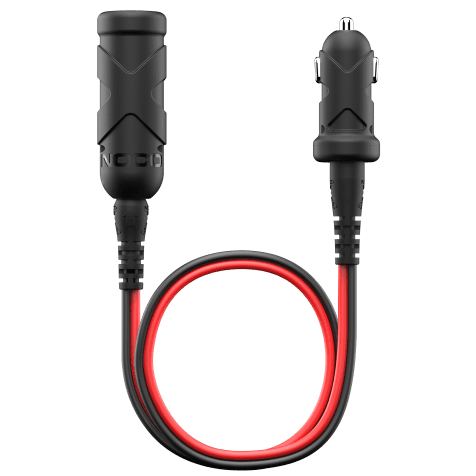
The GB70 and GB150 are the only Boost models that have the ability to power 12V accessories. Included with the purchase of these Boost models is an XGC 12V female port adaptor that can be used to power 12V devices, such as air compressors.
For vehicles with dual battery configurations, connect both the positive and negative clamps of Boost to the battery closest to the starter.
- If your batteries are in parallel, you can use two Boost units to double the starting power if needed.
- If your batteries are in series, you cannot use any 12V Boost. A 24V jump starter would be required.
Check out NOCO Boost Max to learn more about jump starting 24V batteries.
Yes. All Boost models are FAA compliant and can be taken on a plane, however they have to be in your carry-on. No-Lithium batteries are allowed to be checked in luggage. All Boost models are under 100Wh which is the limit set by the FAA. For more additional information, or for current updates, please see the link below to the FAA guidelines. We also recommend contacting the airlines you are flying to see if they have any additional restrictions.
NOCO Boost Jump Starters are designed in the United States and manufactured in various countries around the world.
If Boost is not detecting the battery it is possible the voltage is too low to detect. Boost is designed to jump start 12-volt lead-acid batteries down to 2-volts. If your battery is below 2-volts, the Boost LED will be "Off". This is an indication that Boost can not detect a battery. If you need to jump start a battery below 2-volts there is a Manual Override feature, which allows you to force "On" the jump start function.
Yes. Boost will arrive partially charged. Fully charge the unit before first using it to ensure optimal performance.
NOCO Boost should not be stored below -4ºF (-20ºC), and not exceed 122ºF (50ºC) for any reason. Storing Boost outside of these ranges can cause damage to multiple crucial components of the jump starter. This applies to all Boost models.
NOCO Boost can operate within the temperature range -4ºF to 122ºF (-20ºC to 50ºC). Boost is equipped with thermal sensors that will prevent it from operating outside of this temperature range for your own safety.
Nothing, it is perfectly safe. Boost Air has built-in spark-proof sensors that prevent power from being delivered unless a battery is detected or the device is in Manual Override Mode.
When in Manual Override Mode: Do not allow the positive and negative battery clamps to touch or connect to each other, refer to the user guide for more information.
The error LED will illuminate, but it is perfectly safe and there won't be any sparks. With Reverse Polarity Protection, Boost will not deliver power unless Boost is connected to the battery correctly.
No. Boost should be recharged in temperatures between 32ºF to 104ºF (0ºC to 40ºC). Remove from heat source and allow the battery to cool down before recharging.
No. Remove from direct sunlight. The ambient temperature in car can increase up to 50ºC (122ºF) within 10 minutes.
BOOST jump starters have built-in overcharge protection and can be left on a charger at all times.
No. We do not replace the batteries or repair the units, but replace the whole unit if it tests faulty.
We always recommend checking in with your local laws, and regulations for proper disposal of your Lithium battery products, like Boost. If you live in the USA or Canada, you can follow this link to see where to drop off the Lithium product for recycling in your area:
Unfortunately, there are no extension cables available for the clamps on Boost products as extending the cables would reduce the starting power they produce. If your positive and negative posts are too far away from each other, you can also connect to a negative ground on the vehicle chassis rather than the negative post.
NOCO does not individually sell the USB charging cable like the one provided with the unit. Boost can be charged using any standard Micro USB cable like the ones many smartphones and tablets use.
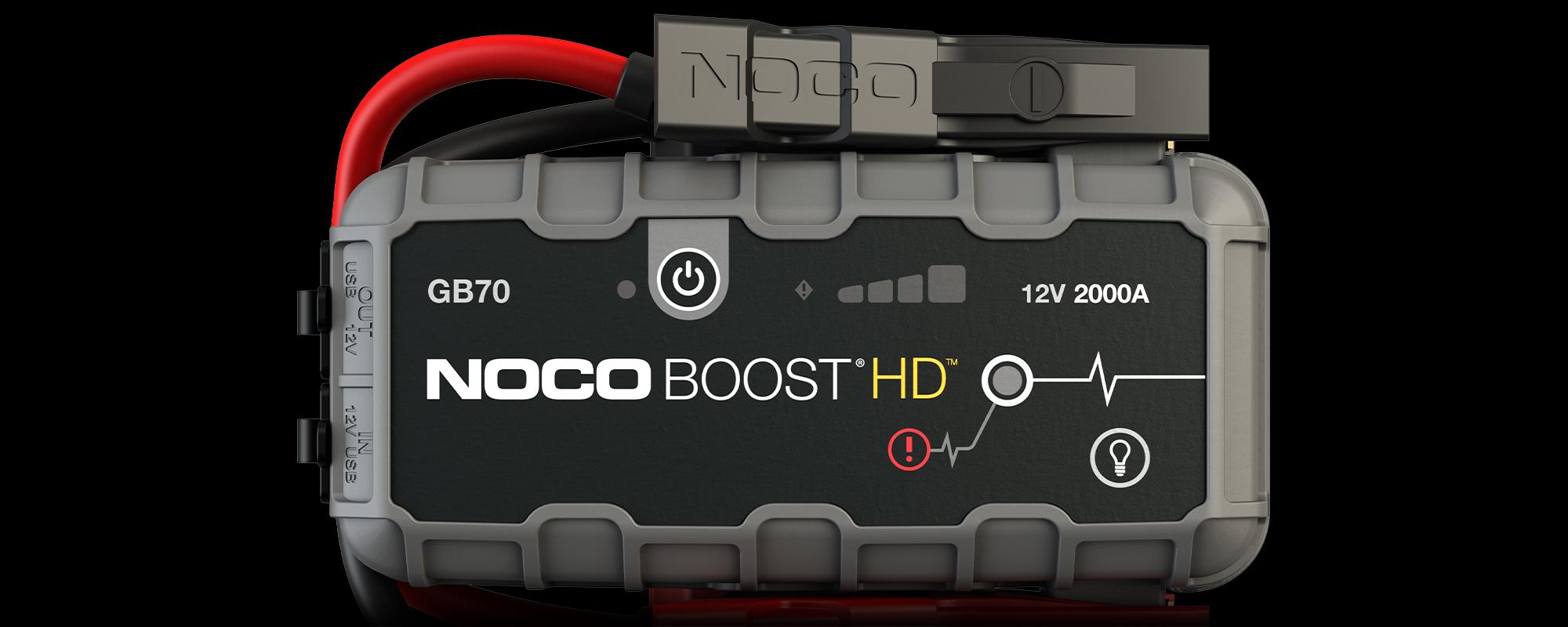
GB70
LEDs


Power LED
Illuminates White when unit is "on".

Error LED
Illuminates Red if reverse polarity is detected. Blinks “on” and “off” when internal battery temperature is too high.

Charge LEDs
Indicates the charge level of the internal battery.

Boost LED
Illuminates White when Boost is active. LED flashes White when Manual Overide feature is active.
GB70
Buttons


Power Button
Push to turn unit "on" and "off".

Manual Override
To enable, push and hold for three (3) seconds. WARNING: Disables safety protection and manually forces Boost "On". Only for use when a battery is too low to be detected.

Light Mode
Toggles the ultra-bright LED light through 7 light modes: 100% > 50% > 10% > SOS > Blink > Strobe > Off
Boost
TROUBLESHOOTING.
ERROR
REASON / SOLUTIONS
Error LED: Solid Red
Reverse polarity/Reverse the battery connections.
Error LED: Blinking Red w/Cables Connected Properly
The internal battery is too hot/ Allow the unit to cool. Bring the unit into cooler environment.
Boost Light Does Not Come On w/Cables Connected Properly
Connected battery is below 2-volts/ Remove all loads, and try again, or use Manual Override Mode.

GB70
MANUAL OVERRIDE
PUSH AND HOLD FOR 3 SECONDS.
WARNING: Disables safety protection and manually forces Boost “On”. Only for use when a battery voltage is too low to be detected.
Connect, Charge, and Store.
GB70 Accessories
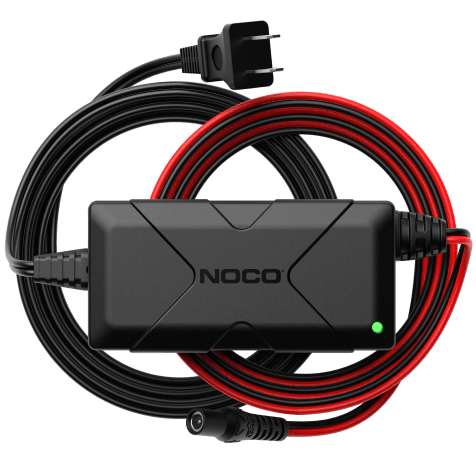
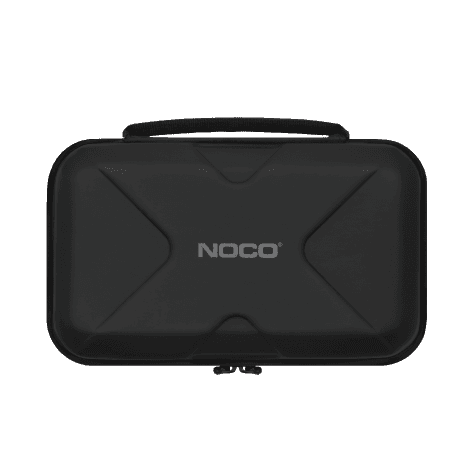
The GB70 is compatible with an array of NOCO accessories. Fast charge your Boost in the car with the GBC010. Charge at home more quickly than standard adapters with the NUSB211NA charging adapter. Store and protect your GB70 with the GBC014.
My Products
View “My Products” to view user guides, access warranties, and register your NOCO products.
Register A Product
Registering will add a product to your account and activate your limited warranty.
Contact Support
Have questions? Send a message, request a callback, or chat with our support team.
Monday through Friday
8 AM–7 PM EST.
Locating the Serial Number
Find the serial number on your NOCO product to complete your registration and activate your warranty.
Cookies On This Site
Our website uses cookies, pixels, and similar technology (“Cookies”) to make the website work and to improve your online experience. Cookies that are essential for the functioning of our website are always active and cannot be turned off. With your consent, however, we may also use non-essential Cookies to improve user experience, personalize advertisements, and analyze website traffic. By clicking “Accept All,” you consent to our use of all Cookies, including these non-essential Cookies. You may block non-essential Cookies by clicking “Reject,” or change your cookie settings by clicking “Preferences.”
By using our website, you acknowledge this notice, and by clicking “Accept All,” “Reject,” or “Preferences,” you agree to our Website Terms of Use. See our Cookie Policy and Privacy Policy to learn more.