QUICK START GUIDE
Connecting from wall outlet to device.

1

2

3

4
XGrid Chargers
FAQ
Charging
Troubleshooting
Specs & Features
Warranty & Support
Choosing the right charger depends on how many devices you charge and how much power they require. Here's a quick breakdown to help guide your decision:
XGrid Overview:
| Charger Model | Ports | Max Power Output | Best For |
|---|---|---|---|
| 30W | 1 USB-C | 30W | Phones, wireless earbuds, and small tablets |
| 65W | 2 USB-C | 65W (shared) | Phones, tablets, MacBook Air, casual dual-device charging |
| 100W | 2 USB-C | 100W (shared) | Laptops, phones, MacBook Pro 13", multitasking setups |
| 140W | 2 USB-C | 140W (shared) | High-performance laptops, MacBook Pro 16", USB-C workstations |
Common Device Power Needs:
| Device | Typical Max Wattage |
|---|---|
| iPhone / Android phone | 20W–30W |
| iPad / tablets | 30W–45W |
| MacBook Air | 30W–45W |
| MacBook Pro 13" | 60W |
| MacBook Pro 14"/16" | 96W–140W |
| Windows laptops (USB-C) | 45W–100W |
| Nintendo Switch | 18W |
Not at all. The charger intelligently detects your device's needs and delivers only the power required. So whether you’re charging earbuds or a laptop, your device gets safe, optimized charging every time.
Yes. XGrid supports multiple fast-charging standards like PD (Power Delivery), PPS (Programmable Power Supply), and QC (Quick Charge)—which cover most major devices, including:
- iPhones (fast charging with USB-C to Lightning cable)
- Samsung Galaxy phones (PPS and PD supported)
- Google Pixel, iPads, and more
- If your device uses USB-C or supports PD, you're covered.
Both ports are identical, and each is capable of automatically adjusting power delivery. Depending on what devices are connected, the charger will adjust power output to deliver the most efficient charge.
You can charge any two usb-c devices simultaneously, such as a laptop and a smartphone. The charger adjusts power delivery depending on the devices connected to make sure both get efficient charging.
Choosing the right charger depends on how many devices you charge and how much power they require. Here's a quick breakdown to help guide your decision:
XGrid Overview:
| Charger Model | Ports | Max Power Output | Best For |
|---|---|---|---|
| 30W | 1 USB-C | 30W | Phones, wireless earbuds, and small tablets |
| 65W | 2 USB-C | 65W (shared) | Phones, tablets, MacBook Air, casual dual-device charging |
| 100W | 2 USB-C | 100W (shared) | Laptops, phones, MacBook Pro 13", multitasking setups |
| 140W | 2 USB-C | 140W (shared) | High-performance laptops, MacBook Pro 16", USB-C workstations |
Common Device Power Needs:
| Device | Typical Max Wattage |
|---|---|
| iPhone / Android phone | 20W–30W |
| iPad / tablets | 30W–45W |
| MacBook Air | 30W–45W |
| MacBook Pro 13" | 60W |
| MacBook Pro 14"/16" | 96W–140W |
| Windows laptops (USB-C) | 45W–100W |
| Nintendo Switch | 18W |
Not at all. The charger intelligently detects your device's needs and delivers only the power required. So whether you’re charging earbuds or a laptop, your device gets safe, optimized charging every time.
Yes. XGrid supports multiple fast-charging standards like PD (Power Delivery), PPS (Programmable Power Supply), and QC (Quick Charge)—which cover most major devices, including:
- iPhones (fast charging with USB-C to Lightning cable)
- Samsung Galaxy phones (PPS and PD supported)
- Google Pixel, iPads, and more
- If your device uses USB-C or supports PD, you're covered.
Both ports are identical, and each is capable of automatically adjusting power delivery. Depending on what devices are connected, the charger will adjust power output to deliver the most efficient charge.
You can charge any two usb-c devices simultaneously, such as a laptop and a smartphone. The charger adjusts power delivery depending on the devices connected to make sure both get efficient charging.
XGrid chargers can get up to 32°C or 104°F (0°C to 40°C) while charging. This would be considered normal operating conditions.
USB-C is the latest standard for charging and data transfer. Unlike older USB types, it’s reversible, meaning you can plug it in either way, and it supports faster charging and data speeds. Many modern devices—including smartphones, tablets, laptops, and more—now use USB-C for their versatility and performance.
GaN (Gallium Nitride) is a next-gen material that replaces traditional silicon in chargers. It allows for a smaller, lighter, and more efficient charger that stays cooler even when delivering high power. That’s why this charger is compact enough for travel but powerful enough for your daily needs.
| X30 | 0.15 lbs (0.07 kg) |
| X65 | 0.31 lbs (0.14 kg) |
| X100 | 0.58 lbs (0.26 kg) |
| X140 | 0.73 lbs (0.33 kg) |
The warranty is 3 years from the proof of purchase or the manufacture date and is based on your serial number.
All NOCO X-Grid USB-C Chargers are marked with a unique serial identification number, usually found on the side or edge of the unit. Click the link below to find the serial number location on each model.
X140W
3 Year Warranty.
All NOCO XGrid USB-C Chargers come with a limited 3 year warranty. Register your product after purchasing to qualify for the applicable warranty.
X140W
COMPATIBLE PRODUCTS.
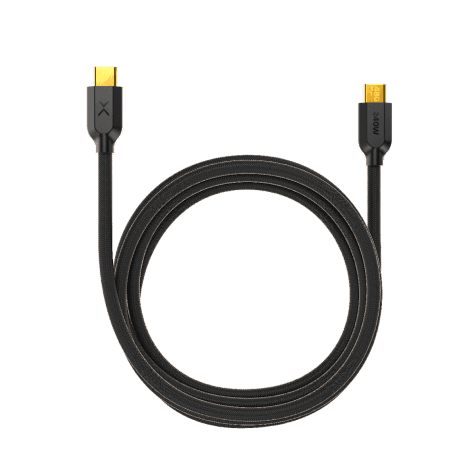
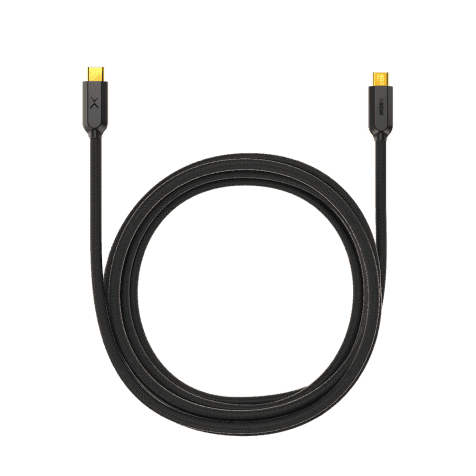
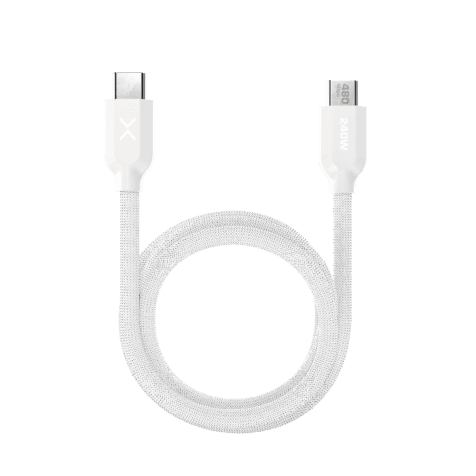
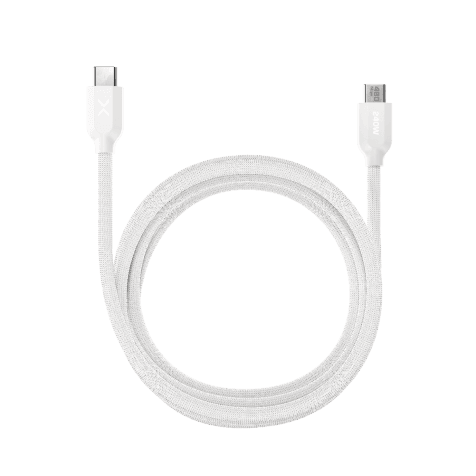
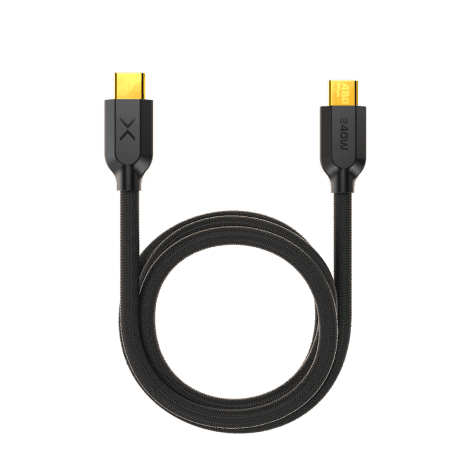
Pair your XGrid Charger with an XGrid Ultraflex Braided USB-C Cable.
My Products
View “My Products” to view user guides, access warranties, and register your NOCO products.
Register A Product
Registering will add a product to your account and activate your limited warranty.
Contact Support
Have questions? Send a message, request a callback, or chat with our support team.
Monday through Friday
8 AM–7 PM EST.
Locating the Serial Number
Find the serial number on your NOCO product to complete your registration and activate your warranty.
Cookies On This Site
Our website uses cookies, pixels, and similar technology (“Cookies”) to make the website work and to improve your online experience. Cookies that are essential for the functioning of our website are always active and cannot be turned off. With your consent, however, we may also use non-essential Cookies to improve user experience, personalize advertisements, and analyze website traffic. By clicking “Accept All,” you consent to our use of all Cookies, including these non-essential Cookies. You may block non-essential Cookies by clicking “Reject,” or change your cookie settings by clicking “Preferences.”
By using our website, you acknowledge this notice, and by clicking “Accept All,” “Reject,” or “Preferences,” you agree to our Website Terms of Use. See our Cookie Policy and Privacy Policy to learn more.