
VIDEOS
How to inflate a tire using your NOCO AL5
More Videos
AL5
How To Inflate.

CONNECT THE AIR HOSE.
Connect the air hose on the AL5 to the tire before starting inflation. The air hose will screw onto the tire's air valve. No tools are necessary and should be hand tightened.

INITIALIZATION.
Turn the Product "ON" by pressing the Power Button. If more than 3 PSI is detected, then the detected pressure will be displayed with the “SET” LED being "OFF".

Set Pressure.
Change the Set Pressure to desired tire pressure level by pressing the ▼ or ▲ Buttons. Hold both ▼ and ▲ Buttons together at anytime to change the unit of pressure displayed (BAR, KPA, PSI).

POWER ON.
Press the Air Button to begin tire inflation. Inflation will continue until the Set Pressure has been reached.
AL5
Intuitive Display.

Actual Pressure
When the “AIR” button is pressed, the compressor will begin inflating, the “SET” LED will turn off and the actual pressure will be displayed.

Set Pressure
When the display is in pressure set mode the “SET” LED will illuminate. Use the arrow buttons to set the desired pressure.

Change Units
To change units of pressure, hold both arrow buttons simultaneously for 3 seconds, use either arrow button to cycle through units.

Auto-Shutoff
Auto-shutoff works when pressure is above 3 PSI. Simply set the pressure and start inflating. AL5 will shut off when the desired pressure is reached.

Manual Air Mode
When pressure is below 3 PSI, use manual mode. Set pressure to 0.0 and press the "AIR" button. AL5 will run until the "AIR" button is pressed again.

Charge LEDs
Indicates the charge level of the internal battery.
AL5
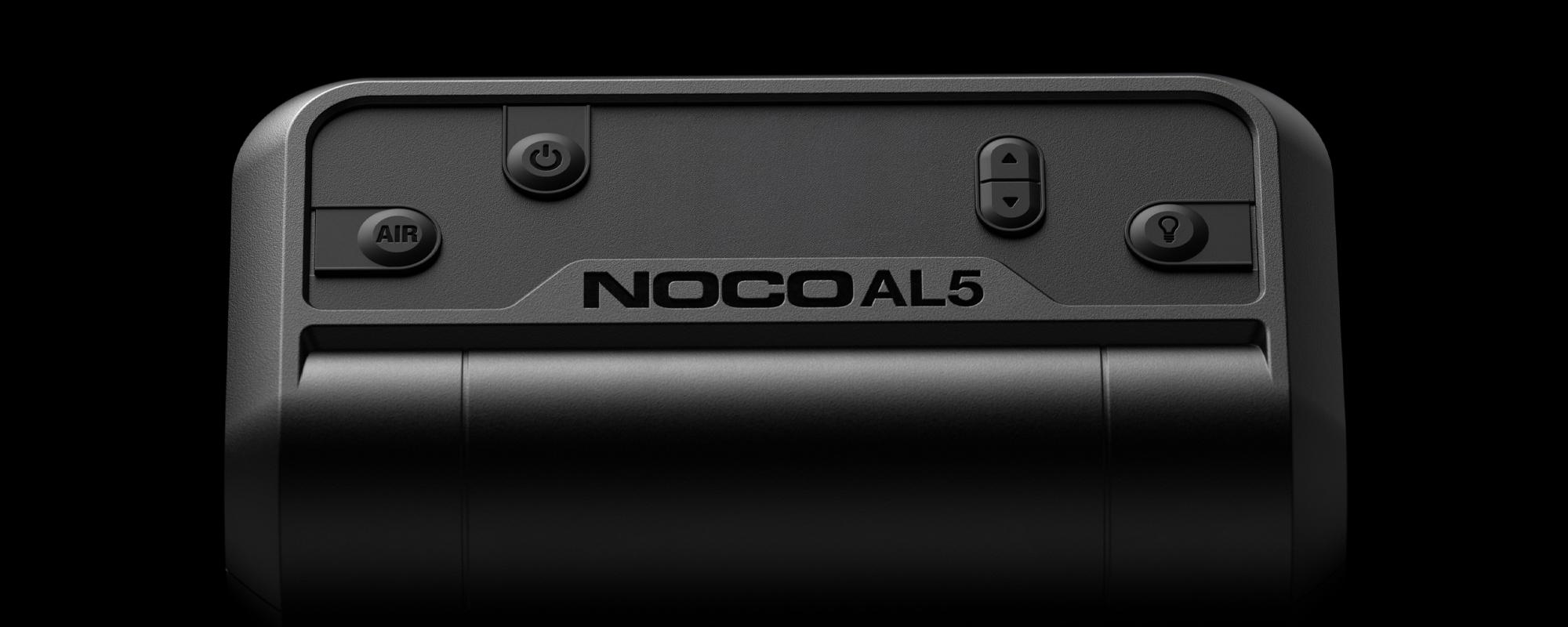
Buttons

Power Button
Push to turn AL5 “ON” & “OFF”.
Arrow Buttons
Hold both Arrow Buttons to begin changing the pressure units. When LED Display is on, use the Arrow Buttons to change the set pressure.

Air Button
Push to initiate Air Mode to start inflating.

Light Mode Button
Toggles the ultra-bright LED light through 6 light modes: 100% > 50% > 10% > SOS > Blink > Off.
Troubleshooting
ERROR
RECOVERY PROCESS

Product does not turn "ON"
Charge Product.
Over-Temperature
Turn the product "OFF" and place it in a well ventilated area, wait for product to cool before powering "ON" again.
Under-Temperature
Turn the product "OFF" and place it in an area within the recommended operating temperature, wait for product to warm up before powering "ON" again.

AL5
Manual Air Mode.
Set pressure to 0.0, then press the Air Button
To enter Manual Air Mode, set the pressure to 0.0. Press the Air Button to turn "ON" the compressor and the compressor will run until the Air Button is pressed again. During Manual Air Mode, the display will cycle LEDs. When Manual Air Mode is shut "OFF", the display will show the current pressure.
AL5
1 Year warranty.
All NOCO Air Lithium units come with a limited 1 Year warranty. Register your product after purchasing to qualify for the applicable warranty.
Cookies On This Site
Our website uses cookies, pixels, and similar technology (“Cookies”) to make the website work and to improve your online experience. Cookies that are essential for the functioning of our website are always active and cannot be turned off. With your consent, however, we may also use non-essential Cookies to improve user experience, personalize advertisements, and analyze website traffic. By clicking “Accept All,” you consent to our use of all Cookies, including these non-essential Cookies. You may block non-essential Cookies by clicking “Reject,” or change your cookie settings by clicking “Preferences.”
By using our website, you acknowledge this notice, and by clicking “Accept All,” “Reject,” or “Preferences,” you agree to our Website Terms of Use. See our Cookie Policy and Privacy Policy to learn more.