
Quick Start Guide.
To ensure maximum performance and wireless charging outputs, this device requires a minimum 45W USB-C PD power supply.

insert regional adapter

plug usb-c cable into adapter

plug usb-c cable into dock

charge devices
Device Compatibility

Qi2-Certified Charging
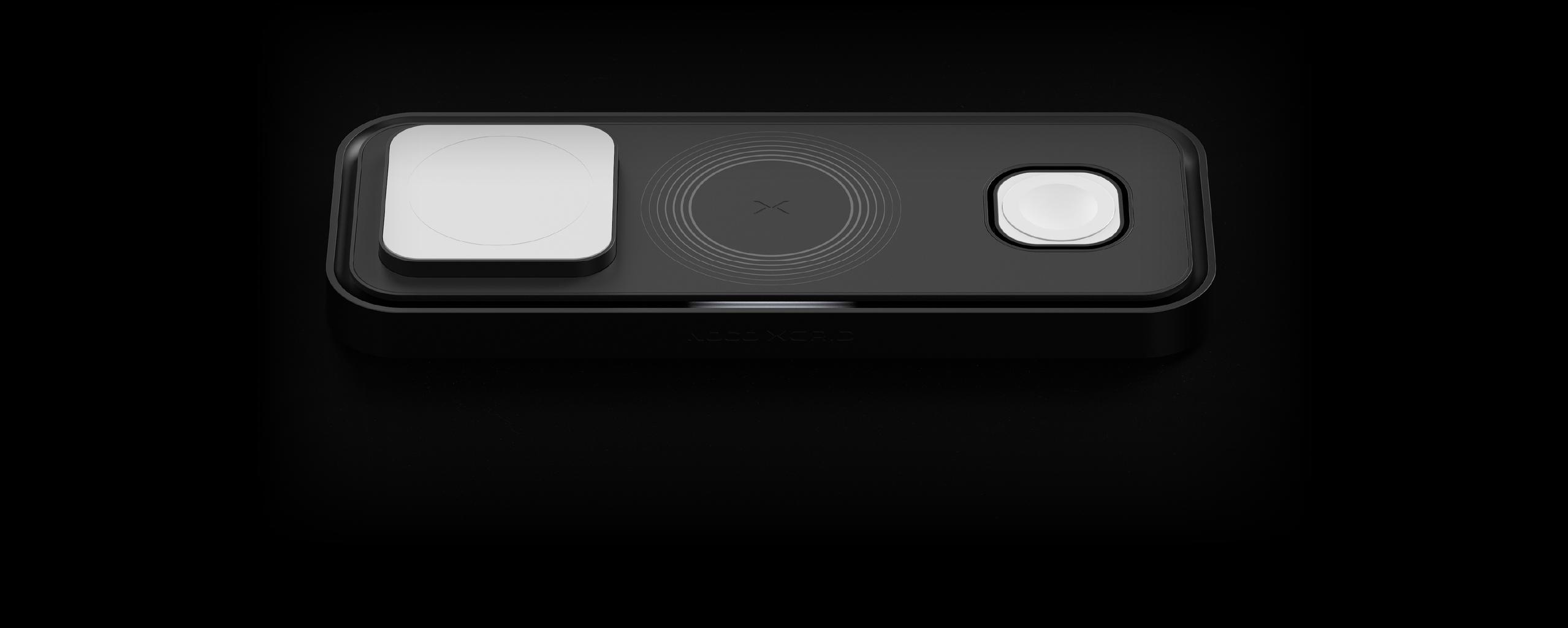
For use with iPhone 16 and later, select AirPods models, Google Pixel 10 series, Galaxy S25 series, Qi-compatible wireless earbuds, and other Qi2 25W certified devices.
See Full Device List
Official Apple Watch Charger
For use with Apple Watch Series 1-11, including SE and Ultra models.
See Full Device List
Qi Compatible Charging
For use with select AirPods models, certain wireless earbuds, and additional Qi-compatible devices.
See Full Device ListXDP3B
easy alignment.
For best charging results, align devices on the center of the charging pad, indicated by the ‘X’. If device is not aligned, the smart LED indicator will show.


XDP3B
LEDs

No Charge
No light means no device is charging on the center pad. Check that the connector is fully inserted.

Charging
A solid white light shows when a device is correctly charging. This LED only corresponds to the center charging pad.

Foreign Object Detection
A solid amber light means the device is misaligned with the charging coil or a foreign object is present. Place the device on the center ‘X’ of the pad; normal function will resume once the object is removed.

Under-Powered
A pulsing amber light indicates the dock is receiving insufficient power. This happens when connected to an adapter that cannot supply enough output for all pads. In this state, power is split until a 35W adapter is used to restore full charging.

Under-Powered and Charging
Alternating amber and white light means a device is charging while the dock is under-powered. Connect the dock to a minimum 35W adapter to restore full charging capability.
choosing the right case.
When using a phone case, choose a Qi2 or MagSafe-compatible case to ensure strong magnetic alignment and fast charging. Cases that are non-magnetic, too thick (over 3mm), or include wallets, credit cards, or metal parts can block the charging connection and reduce performance.

non-magnetic

too thick (over 3mm)

includes wallets, credit cards, or metal parts

choose a Qi2 or MagSafe-compatible case
versatile charging.
official apple watch fast charger.
Charge an Apple Watch Series 10 from 0-80% in 30 minutes.*

Charge Flat
Featuring a dedicated 5W charging area for Apple Watch.

Nightstand mode
With a flip-up charger, turn your Apple Watch into a bedside clock when charging upright.
*0-80% charge time for Apple Watch Series 10. Based on internal test results. Results may not apply to other models, and can vary based on usage, environment, and device status. To ensure maximum performance and wireless charging outputs, this device requires a minimum 45W USB-C PD power supply.
XDP3B
3 Year Warranty.
All NOCO XGrid Wireless Charging Pads come with a limited 3 Year warranty. Register your product after purchasing to qualify for the applicable warranty.
Cookies On This Site
Our website uses cookies, pixels, and similar technology (“Cookies”) to make the website work and to improve your online experience. Cookies that are essential for the functioning of our website are always active and cannot be turned off. With your consent, however, we may also use non-essential Cookies to improve user experience, personalize advertisements, and analyze website traffic. By clicking “Accept All,” you consent to our use of all Cookies, including these non-essential Cookies. You may block non-essential Cookies by clicking “Reject,” or change your cookie settings by clicking “Preferences.”
By using our website, you acknowledge this notice, and by clicking “Accept All,” “Reject,” or “Preferences,” you agree to our Website Terms of Use. See our Cookie Policy and Privacy Policy to learn more.